Face Recognition1.1
Publisher Description

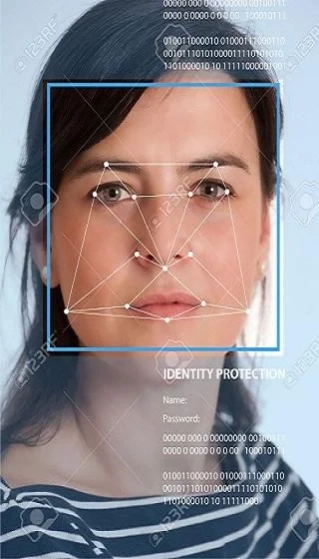


Face Recognition is developed using Artificial Intelligence and Machine Learning
Face Detection is a computer technology that identifies the human faces.
Artificial Intelligence and Machine Learning are used in it.
Face Detection detects human faces from camera source.
With Face Recognition u can find the faces and the smile of them accurately.
Face Detection is a computer technology being used in a variety of applications that identifies human faces in digital images.
Face Detection makes each possible face candidate is normalized to reduce both the lightning effect, which is caused by uneven illumination; and the shirring effect, which is due to head movement.
Face Detection calculates the fitness value of each candidate is measured based on its projection on the faces with Face Detection.
After a number of iterations, all the face candidates with a high fitness value are selected for further verification.
Face Detection uses the face symmetry is measured and the existence of the different facial features is verified for each face candidate.
Face Detection is used in many applications, often as a part of (or together with) a facial recognition system.
Face Recognition also used in video surveillance, human computer interface and image database management.
features:
* Age Detection
* Gender Detection
* Face Verification
* Hand Writing Recognition
* Celebrity Identification
* Analyze Image
* Faces Identification
* Face Grouping
* Recognize Text
About Face Recognition
The company that develops Face Recognition is GetUbusiness. The latest version released by its developer is 1.1.
To install Face Recognition on your Android device, just click the green Continue To App button above to start the installation process. The app is listed on our website since 2020-08-04 and was downloaded 33 times. We have already checked if the download link is safe, however for your own protection we recommend that you scan the downloaded app with your antivirus. Your antivirus may detect the Face Recognition as malware as malware if the download link to com.getubusiness.facerecognition is broken.
How to install Face Recognition on your Android device:
- Click on the Continue To App button on our website. This will redirect you to Google Play.
- Once the Face Recognition is shown in the Google Play listing of your Android device, you can start its download and installation. Tap on the Install button located below the search bar and to the right of the app icon.
- A pop-up window with the permissions required by Face Recognition will be shown. Click on Accept to continue the process.
- Face Recognition will be downloaded onto your device, displaying a progress. Once the download completes, the installation will start and you'll get a notification after the installation is finished.
Program Details
System requirements
Download information
Pricing
Version History
version 1.1
posted on 2020-08-04
No Ads
All Bugs are removed
Advance Artificial Intelligence Algorithms used
Many features are added
version 1.0
posted on 2019-03-05
No Ads
Advance Artificial Intelligence Algorithms used
Many features are added
